


As always, you find all race-by-race strategies below, with the ideal setup for drivers and car for each race and the ideal pit stop strategy. Please mind that you can now enter your part and driver levels and see what works best for YOUR account!
Please also mind that we update our regular series guides every week with the Featured Assets that have a stats boost.
Event Overview
The races are done all in the same conditions and setups, no matter what day. The races you have on the Qualifying Day are exactly the same you have in the Opening Round and in the Final Round, including the weather conditions. Use the links here to jump to the race.
The new Series 12 parts are included in the Champion guides. Of course you will not have them maxed so please adjust your garage setup to see what setup will work best for you.
Remember, you can change your car/driver setup for each race and you should – this means you will get the ideal setup for each single one to make sure you land the best prices at the end of the final round of the event.
- Same garage on your phone, tablet and PC
- Survives private mode and clearing your browser
- Enter your parts once — every series & event guide uses them
Unlock with PRO−30% Hide plans
- Same roster on your phone, tablet and PC
- Survives private mode and clearing your browser
- Enter your drivers once — every series & event guide uses them
Unlock with PRO−30% Hide plans
Junior
1 · Best setup. Shows the strongest parts Series 3 unlocks at max level — or, with the switch under the cards, the best of your own parts at your levels.
2 · Enter your garage. Open My garage (or tap ✎ under a part), tap a part to flip it and set your level with ▲ ▼. Bought a higher-series part in the shop? Add it too.
3 · Your setup. Every part is weighed at your level — a well-levelled older part often beats a low-level new one.
4 · Compare. Every part you flip is drawn against your current best level by level, so you see where one overtakes the other.

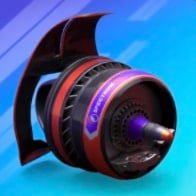
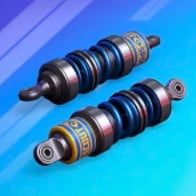

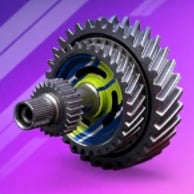
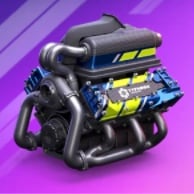
This setup assumes every part is maxed out. Your parts are lower? Tap ✎ under a part or switch to my car parts & levels above.
Based on the parts & levels saved in your garage (this browser). Only parts up to Series 3 are allowed here — higher ones stay saved for the other guides. Tap ✎ under a part to change a level.
1 · Best drivers. Shows the two strongest drivers Series 3 unlocks at max level — or, with the switch under the cards, the best two of your own drivers at your levels.
2 · Enter your drivers. Open My drivers (or tap ✎ under a driver), tap a driver to flip the card and set your level with ▲ ▼. No time to enter Legendary drivers or Special Editions? Switch them off and they're left out.
3 · One seat per driver. Own a driver in several versions? Only the strongest one races — the second seat goes to the next best different driver.
4 · Compare. Every driver you flip is drawn level by level against the driver he'd replace, so you see when an upgrade gets him a seat.
 Paddock Picks
 Paddock Picks
These drivers assume every card is maxed out. Your drivers are lower? Tap ✎ under a driver or switch to my drivers & levels above.
Based on the drivers & levels saved in your roster. Only drivers up to Series 3 and no Legendary drivers are allowed here — the others stay saved for the other guides. Tap ✎ under a driver to change a level.
 1Cuppa20201000000
 2Herald25151000000
 3Prince20200100000
 4Timeless15250010000
 5Hook10250150000
 6Kawaii15200000150
 7Nazar20150000015
 8Pumpkin10200000020
 9Confetti25010000150
 10Launch Pad250000151001Nazar201500000152Pumpkin10200000020
 3Frost15000010025
 4Tsar01501000025
 5Movember02501500010
 6Rookie Rush10001500025
 7Palm10002000020
 8Surf2500002005
 9Handlebar01002500015
 10Pretzel00000151025
 1Ballast510000050
 2Instinct1000001505
 3Downforce0501000015
 4Self Control05000505
 5Hex0020015050
 6Warrior0055100001Downforce05010000152Instinct10000015053Self Control05000505
1 · Best setup. Shows the strongest parts Series 3 unlocks at max level — or, with the switch under the cards, the best of your own parts at your levels.
2 · Enter your garage. Open My garage (or tap ✎ under a part), tap a part to flip it and set your level with ▲ ▼. Bought a higher-series part in the shop? Add it too.
3 · Your setup. Every part is weighed at your level — a well-levelled older part often beats a low-level new one.
4 · Compare. Every part you flip is drawn against your current best level by level, so you see where one overtakes the other.
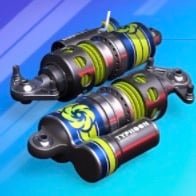
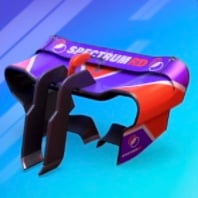
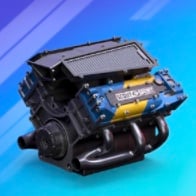
This setup assumes every part is maxed out. Your parts are lower? Tap ✎ under a part or switch to my car parts & levels above.
Based on the parts & levels saved in your garage (this browser). Only parts up to Series 3 are allowed here — higher ones stay saved for the other guides. Tap ✎ under a part to change a level.
1 · Best drivers. Shows the two strongest drivers Series 3 unlocks at max level — or, with the switch under the cards, the best two of your own drivers at your levels.
2 · Enter your drivers. Open My drivers (or tap ✎ under a driver), tap a driver to flip the card and set your level with ▲ ▼. No time to enter Legendary drivers or Special Editions? Switch them off and they're left out.
3 · One seat per driver. Own a driver in several versions? Only the strongest one races — the second seat goes to the next best different driver.
4 · Compare. Every driver you flip is drawn level by level against the driver he'd replace, so you see when an upgrade gets him a seat.
Paddock PicksPaddock PicksThese drivers assume every card is maxed out. Your drivers are lower? Tap ✎ under a driver or switch to my drivers & levels above.
Based on the drivers & levels saved in your roster. Only drivers up to Series 3 and no Legendary drivers are allowed here — the others stay saved for the other guides. Tap ✎ under a driver to change a level.
 1Butterfly20250000052Pretzel251500000103Frost25100015000
 4Dragon15152000000
 5Iron Force10200200000
 6Dead Fast5200002500
 7Rookie Reload02550002008Rookie Rush25001510000
 9Samba025000502010Surf52000250001Butterfly20250000052Pretzel251500000103Frost251000150004Rookie Rush250015100005Tsar250010001506Dragon15152000000
 7Crown2000500025
 8Eagle200000150159Iron Force1020020000010Palm200020100001Instinct51500100002Downforce15001000503Self Control550000504Hex00200015055Ballast0000501056Warrior0055010001Downforce15001000502Instinct51500100003Self Control55000050
1 · Best setup. Shows the strongest parts Series 3 unlocks at max level — or, with the switch under the cards, the best of your own parts at your levels.
2 · Enter your garage. Open My garage (or tap ✎ under a part), tap a part to flip it and set your level with ▲ ▼. Bought a higher-series part in the shop? Add it too.
3 · Your setup. Every part is weighed at your level — a well-levelled older part often beats a low-level new one.
4 · Compare. Every part you flip is drawn against your current best level by level, so you see where one overtakes the other.
This setup assumes every part is maxed out. Your parts are lower? Tap ✎ under a part or switch to my car parts & levels above.
Based on the parts & levels saved in your garage (this browser). Only parts up to Series 3 are allowed here — higher ones stay saved for the other guides. Tap ✎ under a part to change a level.
1 · Best drivers. Shows the two strongest drivers Series 3 unlocks at max level — or, with the switch under the cards, the best two of your own drivers at your levels.
2 · Enter your drivers. Open My drivers (or tap ✎ under a driver), tap a driver to flip the card and set your level with ▲ ▼. No time to enter Legendary drivers or Special Editions? Switch them off and they're left out.
3 · One seat per driver. Own a driver in several versions? Only the strongest one races — the second seat goes to the next best different driver.
4 · Compare. Every driver you flip is drawn level by level against the driver he'd replace, so you see when an upgrade gets him a seat.
Paddock PicksPaddock PicksThese drivers assume every card is maxed out. Your drivers are lower? Tap ✎ under a driver or switch to my drivers & levels above.
Based on the drivers & levels saved in your roster. Only drivers up to Series 3 and no Legendary drivers are allowed here — the others stay saved for the other guides. Tap ✎ under a driver to change a level.
1Butterfly20250000052Pretzel251500000103Frost251000150004Dragon151520000005Iron Force102002000006Dead Fast52000025007Rookie Reload02550002008Rookie Rush250015100009Samba025000502010Surf52000250001Butterfly20250000052Pretzel251500000103Frost251000150004Rookie Rush250015100005Tsar250010001506Dragon151520000007Crown20005000258Eagle200000150159Iron Force1020020000010Palm200020100001Instinct51500100002Downforce15001000503Self Control550000504Hex00200015055Ballast0000501056Warrior0055010001Downforce15001000502Instinct51500100003Self Control55000050
1 · Best setup. Shows the strongest parts Series 3 unlocks at max level — or, with the switch under the cards, the best of your own parts at your levels.
2 · Enter your garage. Open My garage (or tap ✎ under a part), tap a part to flip it and set your level with ▲ ▼. Bought a higher-series part in the shop? Add it too.
3 · Your setup. Every part is weighed at your level — a well-levelled older part often beats a low-level new one.
4 · Compare. Every part you flip is drawn against your current best level by level, so you see where one overtakes the other.
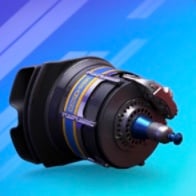
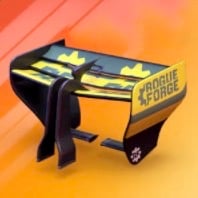
This setup assumes every part is maxed out. Your parts are lower? Tap ✎ under a part or switch to my car parts & levels above.
Based on the parts & levels saved in your garage (this browser). Only parts up to Series 3 are allowed here — higher ones stay saved for the other guides. Tap ✎ under a part to change a level.
1 · Best drivers. Shows the two strongest drivers Series 3 unlocks at max level — or, with the switch under the cards, the best two of your own drivers at your levels.
2 · Enter your drivers. Open My drivers (or tap ✎ under a driver), tap a driver to flip the card and set your level with ▲ ▼. No time to enter Legendary drivers or Special Editions? Switch them off and they're left out.
3 · One seat per driver. Own a driver in several versions? Only the strongest one races — the second seat goes to the next best different driver.
4 · Compare. Every driver you flip is drawn level by level against the driver he'd replace, so you see when an upgrade gets him a seat.
Paddock PicksPaddock PicksThese drivers assume every card is maxed out. Your drivers are lower? Tap ✎ under a driver or switch to my drivers & levels above.
Based on the drivers & levels saved in your roster. Only drivers up to Series 3 and no Legendary drivers are allowed here — the others stay saved for the other guides. Tap ✎ under a driver to change a level.
1Eagle20150000015 2Livewire20150000001Eagle201500000152Livewire20150000001Hex01520000052Downforce15001005001Downforce15001005002Instinct5000100150
Unlock all 12 sections−30% Hide plans
1 · Best setup. Shows the strongest parts Series 3 unlocks at max level — or, with the switch under the cards, the best of your own parts at your levels.
2 · Enter your garage. Open My garage (or tap ✎ under a part), tap a part to flip it and set your level with ▲ ▼. Bought a higher-series part in the shop? Add it too.
3 · Your setup. Every part is weighed at your level — a well-levelled older part often beats a low-level new one.
4 · Compare. Every part you flip is drawn against your current best level by level, so you see where one overtakes the other.
This setup assumes every part is maxed out. Your parts are lower? Tap ✎ under a part or switch to my car parts & levels above.
Based on the parts & levels saved in your garage (this browser). Only parts up to Series 3 are allowed here — higher ones stay saved for the other guides. Tap ✎ under a part to change a level.
1 · Best drivers. Shows the two strongest drivers Series 3 unlocks at max level — or, with the switch under the cards, the best two of your own drivers at your levels.
2 · Enter your drivers. Open My drivers (or tap ✎ under a driver), tap a driver to flip the card and set your level with ▲ ▼. No time to enter Legendary drivers or Special Editions? Switch them off and they're left out.
3 · One seat per driver. Own a driver in several versions? Only the strongest one races — the second seat goes to the next best different driver.
4 · Compare. Every driver you flip is drawn level by level against the driver he'd replace, so you see when an upgrade gets him a seat.
Paddock PicksPaddock PicksThese drivers assume every card is maxed out. Your drivers are lower? Tap ✎ under a driver or switch to my drivers & levels above.
Based on the drivers & levels saved in your roster. Only drivers up to Series 3 and no Legendary drivers are allowed here — the others stay saved for the other guides. Tap ✎ under a driver to change a level.
 1Christmas10200020000
 2Cranberry201020000003Cuppa10200200000
 4Glitz15150002000
 5Eternal Flame25000150010
 6Feral25000001015
 7Ghoulfuel250000101508Herald101502500009Hook02515100000
 10Merlion025001501001Feral250000010152Pumpkin020010000203Tsar015100000254Dragon200000150155Eternal Flame250001500106Movember025150000107Nazar015020000158Frost000150100259Handlebar0102500001510Pretzel000001510251Hex20000150502Ballast0100500503Downforce05100000154Warrior5050100005Self Control050005056Instinct00010015051Downforce05100000152Self Control050005053Instinct0001001505
1 · Best setup. Shows the strongest parts Series 3 unlocks at max level — or, with the switch under the cards, the best of your own parts at your levels.
2 · Enter your garage. Open My garage (or tap ✎ under a part), tap a part to flip it and set your level with ▲ ▼. Bought a higher-series part in the shop? Add it too.
3 · Your setup. Every part is weighed at your level — a well-levelled older part often beats a low-level new one.
4 · Compare. Every part you flip is drawn against your current best level by level, so you see where one overtakes the other.
This setup assumes every part is maxed out. Your parts are lower? Tap ✎ under a part or switch to my car parts & levels above.
Based on the parts & levels saved in your garage (this browser). Only parts up to Series 3 are allowed here — higher ones stay saved for the other guides. Tap ✎ under a part to change a level.
1 · Best drivers. Shows the two strongest drivers Series 3 unlocks at max level — or, with the switch under the cards, the best two of your own drivers at your levels.
2 · Enter your drivers. Open My drivers (or tap ✎ under a driver), tap a driver to flip the card and set your level with ▲ ▼. No time to enter Legendary drivers or Special Editions? Switch them off and they're left out.
3 · One seat per driver. Own a driver in several versions? Only the strongest one races — the second seat goes to the next best different driver.
4 · Compare. Every driver you flip is drawn level by level against the driver he'd replace, so you see when an upgrade gets him a seat.
Paddock PicksPaddock PicksThese drivers assume every card is maxed out. Your drivers are lower? Tap ✎ under a driver or switch to my drivers & levels above.
Based on the drivers & levels saved in your roster. Only drivers up to Series 3 and no Legendary drivers are allowed here — the others stay saved for the other guides. Tap ✎ under a driver to change a level.
1Dragon201500000152Ghoulfuel251000001501Dragon201500000152Butterfly02500005201Hex20000150502Instinct01501000051Instinct01501000052Downforce0010005015Unlock all 12 sections−30% Hide plans
1 · Best setup. Shows the strongest parts Series 3 unlocks at max level — or, with the switch under the cards, the best of your own parts at your levels.
2 · Enter your garage. Open My garage (or tap ✎ under a part), tap a part to flip it and set your level with ▲ ▼. Bought a higher-series part in the shop? Add it too.
3 · Your setup. Every part is weighed at your level — a well-levelled older part often beats a low-level new one.
4 · Compare. Every part you flip is drawn against your current best level by level, so you see where one overtakes the other.
This setup assumes every part is maxed out. Your parts are lower? Tap ✎ under a part or switch to my car parts & levels above.
Based on the parts & levels saved in your garage (this browser). Only parts up to Series 3 are allowed here — higher ones stay saved for the other guides. Tap ✎ under a part to change a level.
1 · Best drivers. Shows the two strongest drivers Series 3 unlocks at max level — or, with the switch under the cards, the best two of your own drivers at your levels.
2 · Enter your drivers. Open My drivers (or tap ✎ under a driver), tap a driver to flip the card and set your level with ▲ ▼. No time to enter Legendary drivers or Special Editions? Switch them off and they're left out.
3 · One seat per driver. Own a driver in several versions? Only the strongest one races — the second seat goes to the next best different driver.
4 · Compare. Every driver you flip is drawn level by level against the driver he'd replace, so you see when an upgrade gets him a seat.
Paddock PicksPaddock PicksThese drivers assume every card is maxed out. Your drivers are lower? Tap ✎ under a driver or switch to my drivers & levels above.
Based on the drivers & levels saved in your roster. Only drivers up to Series 3 and no Legendary drivers are allowed here — the others stay saved for the other guides. Tap ✎ under a driver to change a level.
1Christmas102000200002Cranberry201020000001Feral250000010152Pumpkin020010000201Hex20000150502Ballast0100500501Downforce05100000152Self Control05000505Unlock all 12 sections−30% Hide plans
1 · Best setup. Shows the strongest parts Series 3 unlocks at max level — or, with the switch under the cards, the best of your own parts at your levels.
2 · Enter your garage. Open My garage (or tap ✎ under a part), tap a part to flip it and set your level with ▲ ▼. Bought a higher-series part in the shop? Add it too.
3 · Your setup. Every part is weighed at your level — a well-levelled older part often beats a low-level new one.
4 · Compare. Every part you flip is drawn against your current best level by level, so you see where one overtakes the other.
This setup assumes every part is maxed out. Your parts are lower? Tap ✎ under a part or switch to my car parts & levels above.
Based on the parts & levels saved in your garage (this browser). Only parts up to Series 3 are allowed here — higher ones stay saved for the other guides. Tap ✎ under a part to change a level.
1 · Best drivers. Shows the two strongest drivers Series 3 unlocks at max level — or, with the switch under the cards, the best two of your own drivers at your levels.
2 · Enter your drivers. Open My drivers (or tap ✎ under a driver), tap a driver to flip the card and set your level with ▲ ▼. No time to enter Legendary drivers or Special Editions? Switch them off and they're left out.
3 · One seat per driver. Own a driver in several versions? Only the strongest one races — the second seat goes to the next best different driver.
4 · Compare. Every driver you flip is drawn level by level against the driver he'd replace, so you see when an upgrade gets him a seat.
Paddock PicksPaddock PicksThese drivers assume every card is maxed out. Your drivers are lower? Tap ✎ under a driver or switch to my drivers & levels above.
Based on the drivers & levels saved in your roster. Only drivers up to Series 3 and no Legendary drivers are allowed here — the others stay saved for the other guides. Tap ✎ under a driver to change a level.
1Cuppa202010000002Herald251510000003Prince202001000004Timeless152500100005Hook102501500006Kawaii152000001507Nazar201500000158Pumpkin102000000209Confetti2501000015010Launch Pad250000151001Nazar201500000152Pumpkin102000000203Frost150000100254Tsar015010000255Movember025015000106Rookie Rush100015000257Palm100020000208Surf25000020059Handlebar0100250001510Pretzel000001510251Ballast5100000502Instinct10000015053Downforce05010000154Self Control050005055Hex00200150506Warrior0055100001Downforce05010000152Instinct10000015053Self Control05000505Challenger
1 · Best setup. Shows the strongest parts Series 6 unlocks at max level — or, with the switch under the cards, the best of your own parts at your levels.
2 · Enter your garage. Open My garage (or tap ✎ under a part), tap a part to flip it and set your level with ▲ ▼. Bought a higher-series part in the shop? Add it too.
3 · Your setup. Every part is weighed at your level — a well-levelled older part often beats a low-level new one.
4 · Compare. Every part you flip is drawn against your current best level by level, so you see where one overtakes the other.
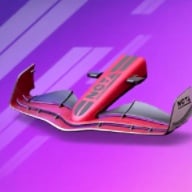
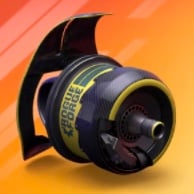
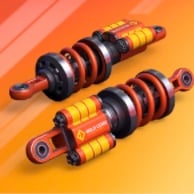
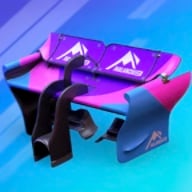
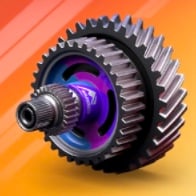
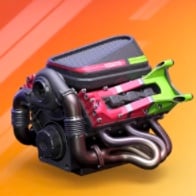
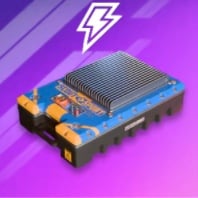
This setup assumes every part is maxed out. Your parts are lower? Tap ✎ under a part or switch to my car parts & levels above.
Based on the parts & levels saved in your garage (this browser). Only parts up to Series 6 are allowed here — higher ones stay saved for the other guides. Tap ✎ under a part to change a level.
1 · Best drivers. Shows the two strongest drivers Series 6 unlocks at max level — or, with the switch under the cards, the best two of your own drivers at your levels.
2 · Enter your drivers. Open My drivers (or tap ✎ under a driver), tap a driver to flip the card and set your level with ▲ ▼. No time to enter Legendary drivers or Special Editions? Switch them off and they're left out.
3 · One seat per driver. Own a driver in several versions? Only the strongest one races — the second seat goes to the next best different driver.
4 · Compare. Every driver you flip is drawn level by level against the driver he'd replace, so you see when an upgrade gets him a seat.
 Paddock Picks
 Paddock Picks
These drivers assume every card is maxed out. Your drivers are lower? Tap ✎ under a driver or switch to my drivers & levels above.
Based on the drivers & levels saved in your roster. Only drivers up to Series 6 and no Legendary drivers are allowed here — the others stay saved for the other guides. Tap ✎ under a driver to change a level.
1Cuppa202010000002Herald251510000003Prince202001000004Timeless152500100005Hook102501500006Kawaii152000001507Nazar201500000158Pumpkin102000000209Confetti2501000015010Launch Pad250000151001Nazar201500000152Pumpkin102000000203Frost150000100254Tsar015010000255Movember025015000106Rookie Rush100015000257Palm100020000208Surf25000020059Handlebar0100250001510Pretzel000001510251Ballast5100000502Instinct10000015053Downforce05010000154Self Control050005055Hex00200150506Warrior0055100001Downforce05010000152Instinct10000015053Self Control05000505
1 · Best setup. Shows the strongest parts Series 6 unlocks at max level — or, with the switch under the cards, the best of your own parts at your levels.
2 · Enter your garage. Open My garage (or tap ✎ under a part), tap a part to flip it and set your level with ▲ ▼. Bought a higher-series part in the shop? Add it too.
3 · Your setup. Every part is weighed at your level — a well-levelled older part often beats a low-level new one.
4 · Compare. Every part you flip is drawn against your current best level by level, so you see where one overtakes the other.
This setup assumes every part is maxed out. Your parts are lower? Tap ✎ under a part or switch to my car parts & levels above.
Based on the parts & levels saved in your garage (this browser). Only parts up to Series 6 are allowed here — higher ones stay saved for the other guides. Tap ✎ under a part to change a level.
1 · Best drivers. Shows the two strongest drivers Series 6 unlocks at max level — or, with the switch under the cards, the best two of your own drivers at your levels.
2 · Enter your drivers. Open My drivers (or tap ✎ under a driver), tap a driver to flip the card and set your level with ▲ ▼. No time to enter Legendary drivers or Special Editions? Switch them off and they're left out.
3 · One seat per driver. Own a driver in several versions? Only the strongest one races — the second seat goes to the next best different driver.
4 · Compare. Every driver you flip is drawn level by level against the driver he'd replace, so you see when an upgrade gets him a seat.
Paddock PicksPaddock PicksThese drivers assume every card is maxed out. Your drivers are lower? Tap ✎ under a driver or switch to my drivers & levels above.
Based on the drivers & levels saved in your roster. Only drivers up to Series 6 and no Legendary drivers are allowed here — the others stay saved for the other guides. Tap ✎ under a driver to change a level.
1Butterfly20250000052Pretzel251500000103Frost251000150004Dragon151520000005Iron Force102002000006Dead Fast52000025007Rookie Reload02550002008Rookie Rush250015100009Samba025000502010Surf52000250001Butterfly20250000052Pretzel251500000103Frost251000150004Rookie Rush250015100005Tsar250010001506Dragon151520000007Crown20005000258Eagle200000150159Iron Force1020020000010Palm200020100001Instinct51500100002Downforce15001000503Self Control550000504Hex00200015055Ballast0000501056Warrior0055010001Downforce15001000502Instinct51500100003Self Control55000050
1 · Best setup. Shows the strongest parts Series 6 unlocks at max level — or, with the switch under the cards, the best of your own parts at your levels.
2 · Enter your garage. Open My garage (or tap ✎ under a part), tap a part to flip it and set your level with ▲ ▼. Bought a higher-series part in the shop? Add it too.
3 · Your setup. Every part is weighed at your level — a well-levelled older part often beats a low-level new one.
4 · Compare. Every part you flip is drawn against your current best level by level, so you see where one overtakes the other.
This setup assumes every part is maxed out. Your parts are lower? Tap ✎ under a part or switch to my car parts & levels above.
Based on the parts & levels saved in your garage (this browser). Only parts up to Series 6 are allowed here — higher ones stay saved for the other guides. Tap ✎ under a part to change a level.
1 · Best drivers. Shows the two strongest drivers Series 6 unlocks at max level — or, with the switch under the cards, the best two of your own drivers at your levels.
2 · Enter your drivers. Open My drivers (or tap ✎ under a driver), tap a driver to flip the card and set your level with ▲ ▼. No time to enter Legendary drivers or Special Editions? Switch them off and they're left out.
3 · One seat per driver. Own a driver in several versions? Only the strongest one races — the second seat goes to the next best different driver.
4 · Compare. Every driver you flip is drawn level by level against the driver he'd replace, so you see when an upgrade gets him a seat.
Paddock PicksPaddock PicksThese drivers assume every card is maxed out. Your drivers are lower? Tap ✎ under a driver or switch to my drivers & levels above.
Based on the drivers & levels saved in your roster. Only drivers up to Series 6 and no Legendary drivers are allowed here — the others stay saved for the other guides. Tap ✎ under a driver to change a level.
1Butterfly20250000052Pretzel251500000103Frost251000150004Dragon151520000005Iron Force102002000006Dead Fast52000025007Rookie Reload02550002008Rookie Rush250015100009Samba025000502010Surf52000250001Butterfly20250000052Pretzel251500000103Frost251000150004Rookie Rush250015100005Tsar250010001506Dragon151520000007Crown20005000258Eagle200000150159Iron Force1020020000010Palm200020100001Instinct51500100002Downforce15001000503Self Control550000504Hex00200015055Ballast0000501056Warrior0055010001Downforce15001000502Instinct51500100003Self Control55000050
1 · Best setup. Shows the strongest parts Series 6 unlocks at max level — or, with the switch under the cards, the best of your own parts at your levels.
2 · Enter your garage. Open My garage (or tap ✎ under a part), tap a part to flip it and set your level with ▲ ▼. Bought a higher-series part in the shop? Add it too.
3 · Your setup. Every part is weighed at your level — a well-levelled older part often beats a low-level new one.
4 · Compare. Every part you flip is drawn against your current best level by level, so you see where one overtakes the other.
This setup assumes every part is maxed out. Your parts are lower? Tap ✎ under a part or switch to my car parts & levels above.
Based on the parts & levels saved in your garage (this browser). Only parts up to Series 6 are allowed here — higher ones stay saved for the other guides. Tap ✎ under a part to change a level.
1 · Best drivers. Shows the two strongest drivers Series 6 unlocks at max level — or, with the switch under the cards, the best two of your own drivers at your levels.
2 · Enter your drivers. Open My drivers (or tap ✎ under a driver), tap a driver to flip the card and set your level with ▲ ▼. No time to enter Legendary drivers or Special Editions? Switch them off and they're left out.
3 · One seat per driver. Own a driver in several versions? Only the strongest one races — the second seat goes to the next best different driver.
4 · Compare. Every driver you flip is drawn level by level against the driver he'd replace, so you see when an upgrade gets him a seat.
Paddock PicksPaddock PicksThese drivers assume every card is maxed out. Your drivers are lower? Tap ✎ under a driver or switch to my drivers & levels above.
Based on the drivers & levels saved in your roster. Only drivers up to Series 6 and no Legendary drivers are allowed here — the others stay saved for the other guides. Tap ✎ under a driver to change a level.
1Eagle201500000152Livewire20150000001Eagle201500000152Livewire20150000001Hex01520000052Downforce15001005001Downforce15001005002Instinct5000100150Unlock all 12 sections−30% Hide plans
1 · Best setup. Shows the strongest parts Series 6 unlocks at max level — or, with the switch under the cards, the best of your own parts at your levels.
2 · Enter your garage. Open My garage (or tap ✎ under a part), tap a part to flip it and set your level with ▲ ▼. Bought a higher-series part in the shop? Add it too.
3 · Your setup. Every part is weighed at your level — a well-levelled older part often beats a low-level new one.
4 · Compare. Every part you flip is drawn against your current best level by level, so you see where one overtakes the other.
This setup assumes every part is maxed out. Your parts are lower? Tap ✎ under a part or switch to my car parts & levels above.
Based on the parts & levels saved in your garage (this browser). Only parts up to Series 6 are allowed here — higher ones stay saved for the other guides. Tap ✎ under a part to change a level.
1 · Best drivers. Shows the two strongest drivers Series 6 unlocks at max level — or, with the switch under the cards, the best two of your own drivers at your levels.
2 · Enter your drivers. Open My drivers (or tap ✎ under a driver), tap a driver to flip the card and set your level with ▲ ▼. No time to enter Legendary drivers or Special Editions? Switch them off and they're left out.
3 · One seat per driver. Own a driver in several versions? Only the strongest one races — the second seat goes to the next best different driver.
4 · Compare. Every driver you flip is drawn level by level against the driver he'd replace, so you see when an upgrade gets him a seat.
Paddock PicksPaddock PicksThese drivers assume every card is maxed out. Your drivers are lower? Tap ✎ under a driver or switch to my drivers & levels above.
Based on the drivers & levels saved in your roster. Only drivers up to Series 6 and no Legendary drivers are allowed here — the others stay saved for the other guides. Tap ✎ under a driver to change a level.
1Christmas102000200002Cranberry201020000003Cuppa102002000004Glitz151500020005Eternal Flame250001500106Feral250000010157Ghoulfuel250000101508Herald101502500009Hook0251510000010Merlion025001501001Feral250000010152Pumpkin020010000203Tsar015100000254Dragon200000150155Eternal Flame250001500106Movember025150000107Nazar015020000158Frost000150100259Handlebar0102500001510Pretzel000001510251Hex20000150502Ballast0100500503Downforce05100000154Warrior5050100005Self Control050005056Instinct00010015051Downforce05100000152Self Control050005053Instinct0001001505
1 · Best setup. Shows the strongest parts Series 6 unlocks at max level — or, with the switch under the cards, the best of your own parts at your levels.
2 · Enter your garage. Open My garage (or tap ✎ under a part), tap a part to flip it and set your level with ▲ ▼. Bought a higher-series part in the shop? Add it too.
3 · Your setup. Every part is weighed at your level — a well-levelled older part often beats a low-level new one.
4 · Compare. Every part you flip is drawn against your current best level by level, so you see where one overtakes the other.
This setup assumes every part is maxed out. Your parts are lower? Tap ✎ under a part or switch to my car parts & levels above.
Based on the parts & levels saved in your garage (this browser). Only parts up to Series 6 are allowed here — higher ones stay saved for the other guides. Tap ✎ under a part to change a level.
1 · Best drivers. Shows the two strongest drivers Series 6 unlocks at max level — or, with the switch under the cards, the best two of your own drivers at your levels.
2 · Enter your drivers. Open My drivers (or tap ✎ under a driver), tap a driver to flip the card and set your level with ▲ ▼. No time to enter Legendary drivers or Special Editions? Switch them off and they're left out.
3 · One seat per driver. Own a driver in several versions? Only the strongest one races — the second seat goes to the next best different driver.
4 · Compare. Every driver you flip is drawn level by level against the driver he'd replace, so you see when an upgrade gets him a seat.
Paddock PicksPaddock PicksThese drivers assume every card is maxed out. Your drivers are lower? Tap ✎ under a driver or switch to my drivers & levels above.
Based on the drivers & levels saved in your roster. Only drivers up to Series 6 and no Legendary drivers are allowed here — the others stay saved for the other guides. Tap ✎ under a driver to change a level.
1Dragon201500000152Ghoulfuel251000001501Dragon201500000152Butterfly02500005201Hex20000150502Instinct01501000051Instinct01501000052Downforce0010005015Unlock all 12 sections−30% Hide plans
1 · Best setup. Shows the strongest parts Series 6 unlocks at max level — or, with the switch under the cards, the best of your own parts at your levels.
2 · Enter your garage. Open My garage (or tap ✎ under a part), tap a part to flip it and set your level with ▲ ▼. Bought a higher-series part in the shop? Add it too.
3 · Your setup. Every part is weighed at your level — a well-levelled older part often beats a low-level new one.
4 · Compare. Every part you flip is drawn against your current best level by level, so you see where one overtakes the other.
This setup assumes every part is maxed out. Your parts are lower? Tap ✎ under a part or switch to my car parts & levels above.
Based on the parts & levels saved in your garage (this browser). Only parts up to Series 6 are allowed here — higher ones stay saved for the other guides. Tap ✎ under a part to change a level.
1 · Best drivers. Shows the two strongest drivers Series 6 unlocks at max level — or, with the switch under the cards, the best two of your own drivers at your levels.
2 · Enter your drivers. Open My drivers (or tap ✎ under a driver), tap a driver to flip the card and set your level with ▲ ▼. No time to enter Legendary drivers or Special Editions? Switch them off and they're left out.
3 · One seat per driver. Own a driver in several versions? Only the strongest one races — the second seat goes to the next best different driver.
4 · Compare. Every driver you flip is drawn level by level against the driver he'd replace, so you see when an upgrade gets him a seat.
Paddock PicksPaddock PicksThese drivers assume every card is maxed out. Your drivers are lower? Tap ✎ under a driver or switch to my drivers & levels above.
Based on the drivers & levels saved in your roster. Only drivers up to Series 6 and no Legendary drivers are allowed here — the others stay saved for the other guides. Tap ✎ under a driver to change a level.
1Christmas102000200002Cranberry201020000001Feral250000010152Pumpkin020010000201Hex20000150502Ballast0100500501Downforce05100000152Self Control05000505Unlock all 12 sections−30% Hide plans
1 · Best setup. Shows the strongest parts Series 6 unlocks at max level — or, with the switch under the cards, the best of your own parts at your levels.
2 · Enter your garage. Open My garage (or tap ✎ under a part), tap a part to flip it and set your level with ▲ ▼. Bought a higher-series part in the shop? Add it too.
3 · Your setup. Every part is weighed at your level — a well-levelled older part often beats a low-level new one.
4 · Compare. Every part you flip is drawn against your current best level by level, so you see where one overtakes the other.
This setup assumes every part is maxed out. Your parts are lower? Tap ✎ under a part or switch to my car parts & levels above.
Based on the parts & levels saved in your garage (this browser). Only parts up to Series 6 are allowed here — higher ones stay saved for the other guides. Tap ✎ under a part to change a level.
1 · Best drivers. Shows the two strongest drivers Series 6 unlocks at max level — or, with the switch under the cards, the best two of your own drivers at your levels.
2 · Enter your drivers. Open My drivers (or tap ✎ under a driver), tap a driver to flip the card and set your level with ▲ ▼. No time to enter Legendary drivers or Special Editions? Switch them off and they're left out.
3 · One seat per driver. Own a driver in several versions? Only the strongest one races — the second seat goes to the next best different driver.
4 · Compare. Every driver you flip is drawn level by level against the driver he'd replace, so you see when an upgrade gets him a seat.
Paddock PicksPaddock PicksThese drivers assume every card is maxed out. Your drivers are lower? Tap ✎ under a driver or switch to my drivers & levels above.
Based on the drivers & levels saved in your roster. Only drivers up to Series 6 and no Legendary drivers are allowed here — the others stay saved for the other guides. Tap ✎ under a driver to change a level.
1Cuppa202010000002Herald251510000003Prince202001000004Timeless152500100005Hook102501500006Kawaii152000001507Nazar201500000158Pumpkin102000000209Confetti2501000015010Launch Pad250000151001Nazar201500000152Pumpkin102000000203Frost150000100254Tsar015010000255Movember025015000106Rookie Rush100015000257Palm100020000208Surf25000020059Handlebar0100250001510Pretzel000001510251Ballast5100000502Instinct10000015053Downforce05010000154Self Control050005055Hex00200150506Warrior0055100001Downforce05010000152Instinct10000015053Self Control05000505Contender
1 · Best setup. Shows the strongest parts Series 9 unlocks at max level — or, with the switch under the cards, the best of your own parts at your levels.
2 · Enter your garage. Open My garage (or tap ✎ under a part), tap a part to flip it and set your level with ▲ ▼. Bought a higher-series part in the shop? Add it too.
3 · Your setup. Every part is weighed at your level — a well-levelled older part often beats a low-level new one.
4 · Compare. Every part you flip is drawn against your current best level by level, so you see where one overtakes the other.

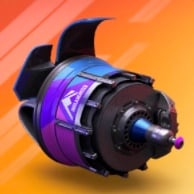
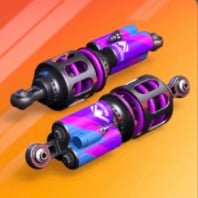
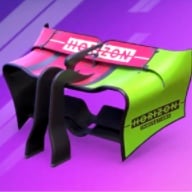
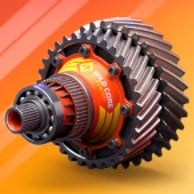
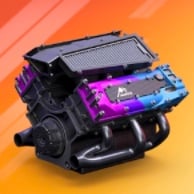
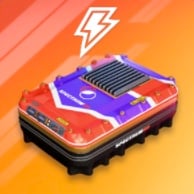
This setup assumes every part is maxed out. Your parts are lower? Tap ✎ under a part or switch to my car parts & levels above.
Based on the parts & levels saved in your garage (this browser). Only parts up to Series 9 are allowed here — higher ones stay saved for the other guides. Tap ✎ under a part to change a level.
1 · Best drivers. Shows the two strongest drivers Series 9 unlocks at max level — or, with the switch under the cards, the best two of your own drivers at your levels.
2 · Enter your drivers. Open My drivers (or tap ✎ under a driver), tap a driver to flip the card and set your level with ▲ ▼. No time to enter Legendary drivers or Special Editions? Switch them off and they're left out.
3 · One seat per driver. Own a driver in several versions? Only the strongest one races — the second seat goes to the next best different driver.
4 · Compare. Every driver you flip is drawn level by level against the driver he'd replace, so you see when an upgrade gets him a seat.
 Paddock Picks
 Paddock Picks
These drivers assume every card is maxed out. Your drivers are lower? Tap ✎ under a driver or switch to my drivers & levels above.
Based on the drivers & levels saved in your roster. Only drivers up to Series 9 and no Legendary drivers are allowed here — the others stay saved for the other guides. Tap ✎ under a driver to change a level.
1Cuppa202010000002Herald251510000003Prince202001000004Timeless152500100005Hook102501500006Kawaii152000001507Nazar201500000158Pumpkin102000000209Confetti2501000015010Launch Pad250000151001Nazar201500000152Pumpkin102000000203Frost150000100254Tsar015010000255Movember025015000106Rookie Rush100015000257Palm100020000208Surf25000020059Handlebar0100250001510Pretzel000001510251Ballast5100000502Instinct10000015053Downforce05010000154Self Control050005055Hex00200150506Warrior0055100001Downforce05010000152Instinct10000015053Self Control05000505
1 · Best setup. Shows the strongest parts Series 9 unlocks at max level — or, with the switch under the cards, the best of your own parts at your levels.
2 · Enter your garage. Open My garage (or tap ✎ under a part), tap a part to flip it and set your level with ▲ ▼. Bought a higher-series part in the shop? Add it too.
3 · Your setup. Every part is weighed at your level — a well-levelled older part often beats a low-level new one.
4 · Compare. Every part you flip is drawn against your current best level by level, so you see where one overtakes the other.
This setup assumes every part is maxed out. Your parts are lower? Tap ✎ under a part or switch to my car parts & levels above.
Based on the parts & levels saved in your garage (this browser). Only parts up to Series 9 are allowed here — higher ones stay saved for the other guides. Tap ✎ under a part to change a level.
1 · Best drivers. Shows the two strongest drivers Series 9 unlocks at max level — or, with the switch under the cards, the best two of your own drivers at your levels.
2 · Enter your drivers. Open My drivers (or tap ✎ under a driver), tap a driver to flip the card and set your level with ▲ ▼. No time to enter Legendary drivers or Special Editions? Switch them off and they're left out.
3 · One seat per driver. Own a driver in several versions? Only the strongest one races — the second seat goes to the next best different driver.
4 · Compare. Every driver you flip is drawn level by level against the driver he'd replace, so you see when an upgrade gets him a seat.
Paddock PicksPaddock PicksThese drivers assume every card is maxed out. Your drivers are lower? Tap ✎ under a driver or switch to my drivers & levels above.
Based on the drivers & levels saved in your roster. Only drivers up to Series 9 and no Legendary drivers are allowed here — the others stay saved for the other guides. Tap ✎ under a driver to change a level.
1Butterfly20250000052Pretzel251500000103Frost251000150004Dragon151520000005Iron Force102002000006Dead Fast52000025007Rookie Reload02550002008Rookie Rush250015100009Samba025000502010Surf52000250001Butterfly20250000052Pretzel251500000103Frost251000150004Rookie Rush250015100005Tsar250010001506Dragon151520000007Crown20005000258Eagle200000150159Iron Force1020020000010Palm200020100001Instinct51500100002Downforce15001000503Self Control550000504Hex00200015055Ballast0000501056Warrior0055010001Downforce15001000502Instinct51500100003Self Control55000050
1 · Best setup. Shows the strongest parts Series 9 unlocks at max level — or, with the switch under the cards, the best of your own parts at your levels.
2 · Enter your garage. Open My garage (or tap ✎ under a part), tap a part to flip it and set your level with ▲ ▼. Bought a higher-series part in the shop? Add it too.
3 · Your setup. Every part is weighed at your level — a well-levelled older part often beats a low-level new one.
4 · Compare. Every part you flip is drawn against your current best level by level, so you see where one overtakes the other.
This setup assumes every part is maxed out. Your parts are lower? Tap ✎ under a part or switch to my car parts & levels above.
Based on the parts & levels saved in your garage (this browser). Only parts up to Series 9 are allowed here — higher ones stay saved for the other guides. Tap ✎ under a part to change a level.
1 · Best drivers. Shows the two strongest drivers Series 9 unlocks at max level — or, with the switch under the cards, the best two of your own drivers at your levels.
2 · Enter your drivers. Open My drivers (or tap ✎ under a driver), tap a driver to flip the card and set your level with ▲ ▼. No time to enter Legendary drivers or Special Editions? Switch them off and they're left out.
3 · One seat per driver. Own a driver in several versions? Only the strongest one races — the second seat goes to the next best different driver.
4 · Compare. Every driver you flip is drawn level by level against the driver he'd replace, so you see when an upgrade gets him a seat.
Paddock PicksPaddock PicksThese drivers assume every card is maxed out. Your drivers are lower? Tap ✎ under a driver or switch to my drivers & levels above.
Based on the drivers & levels saved in your roster. Only drivers up to Series 9 and no Legendary drivers are allowed here — the others stay saved for the other guides. Tap ✎ under a driver to change a level.
1Butterfly20250000052Pretzel251500000103Frost251000150004Dragon151520000005Iron Force102002000006Dead Fast52000025007Rookie Reload02550002008Rookie Rush250015100009Samba025000502010Surf52000250001Butterfly20250000052Pretzel251500000103Frost251000150004Rookie Rush250015100005Tsar250010001506Dragon151520000007Crown20005000258Eagle200000150159Iron Force1020020000010Palm200020100001Instinct51500100002Downforce15001000503Self Control550000504Hex00200015055Ballast0000501056Warrior0055010001Downforce15001000502Instinct51500100003Self Control55000050
1 · Best setup. Shows the strongest parts Series 9 unlocks at max level — or, with the switch under the cards, the best of your own parts at your levels.
2 · Enter your garage. Open My garage (or tap ✎ under a part), tap a part to flip it and set your level with ▲ ▼. Bought a higher-series part in the shop? Add it too.
3 · Your setup. Every part is weighed at your level — a well-levelled older part often beats a low-level new one.
4 · Compare. Every part you flip is drawn against your current best level by level, so you see where one overtakes the other.
This setup assumes every part is maxed out. Your parts are lower? Tap ✎ under a part or switch to my car parts & levels above.
Based on the parts & levels saved in your garage (this browser). Only parts up to Series 9 are allowed here — higher ones stay saved for the other guides. Tap ✎ under a part to change a level.
1 · Best drivers. Shows the two strongest drivers Series 9 unlocks at max level — or, with the switch under the cards, the best two of your own drivers at your levels.
2 · Enter your drivers. Open My drivers (or tap ✎ under a driver), tap a driver to flip the card and set your level with ▲ ▼. No time to enter Legendary drivers or Special Editions? Switch them off and they're left out.
3 · One seat per driver. Own a driver in several versions? Only the strongest one races — the second seat goes to the next best different driver.
4 · Compare. Every driver you flip is drawn level by level against the driver he'd replace, so you see when an upgrade gets him a seat.
Paddock PicksPaddock PicksThese drivers assume every card is maxed out. Your drivers are lower? Tap ✎ under a driver or switch to my drivers & levels above.
Based on the drivers & levels saved in your roster. Only drivers up to Series 9 and no Legendary drivers are allowed here — the others stay saved for the other guides. Tap ✎ under a driver to change a level.
1Eagle201500000152Livewire20150000001Eagle201500000152Livewire20150000001Hex01520000052Downforce15001005001Downforce15001005002Instinct5000100150Unlock all 12 sections−30% Hide plans
1 · Best setup. Shows the strongest parts Series 9 unlocks at max level — or, with the switch under the cards, the best of your own parts at your levels.
2 · Enter your garage. Open My garage (or tap ✎ under a part), tap a part to flip it and set your level with ▲ ▼. Bought a higher-series part in the shop? Add it too.
3 · Your setup. Every part is weighed at your level — a well-levelled older part often beats a low-level new one.
4 · Compare. Every part you flip is drawn against your current best level by level, so you see where one overtakes the other.
This setup assumes every part is maxed out. Your parts are lower? Tap ✎ under a part or switch to my car parts & levels above.
Based on the parts & levels saved in your garage (this browser). Only parts up to Series 9 are allowed here — higher ones stay saved for the other guides. Tap ✎ under a part to change a level.
1 · Best drivers. Shows the two strongest drivers Series 9 unlocks at max level — or, with the switch under the cards, the best two of your own drivers at your levels.
2 · Enter your drivers. Open My drivers (or tap ✎ under a driver), tap a driver to flip the card and set your level with ▲ ▼. No time to enter Legendary drivers or Special Editions? Switch them off and they're left out.
3 · One seat per driver. Own a driver in several versions? Only the strongest one races — the second seat goes to the next best different driver.
4 · Compare. Every driver you flip is drawn level by level against the driver he'd replace, so you see when an upgrade gets him a seat.
Paddock PicksPaddock PicksThese drivers assume every card is maxed out. Your drivers are lower? Tap ✎ under a driver or switch to my drivers & levels above.
Based on the drivers & levels saved in your roster. Only drivers up to Series 9 and no Legendary drivers are allowed here — the others stay saved for the other guides. Tap ✎ under a driver to change a level.
1Christmas102000200002Cranberry201020000003Cuppa102002000004Glitz151500020005Eternal Flame250001500106Feral250000010157Ghoulfuel250000101508Herald101502500009Hook0251510000010Merlion025001501001Feral250000010152Pumpkin020010000203Tsar015100000254Dragon200000150155Eternal Flame250001500106Movember025150000107Nazar015020000158Frost000150100259Handlebar0102500001510Pretzel000001510251Hex20000150502Ballast0100500503Downforce05100000154Warrior5050100005Self Control050005056Instinct00010015051Downforce05100000152Self Control050005053Instinct0001001505
1 · Best setup. Shows the strongest parts Series 9 unlocks at max level — or, with the switch under the cards, the best of your own parts at your levels.
2 · Enter your garage. Open My garage (or tap ✎ under a part), tap a part to flip it and set your level with ▲ ▼. Bought a higher-series part in the shop? Add it too.
3 · Your setup. Every part is weighed at your level — a well-levelled older part often beats a low-level new one.
4 · Compare. Every part you flip is drawn against your current best level by level, so you see where one overtakes the other.
This setup assumes every part is maxed out. Your parts are lower? Tap ✎ under a part or switch to my car parts & levels above.
Based on the parts & levels saved in your garage (this browser). Only parts up to Series 9 are allowed here — higher ones stay saved for the other guides. Tap ✎ under a part to change a level.
1 · Best drivers. Shows the two strongest drivers Series 9 unlocks at max level — or, with the switch under the cards, the best two of your own drivers at your levels.
2 · Enter your drivers. Open My drivers (or tap ✎ under a driver), tap a driver to flip the card and set your level with ▲ ▼. No time to enter Legendary drivers or Special Editions? Switch them off and they're left out.
3 · One seat per driver. Own a driver in several versions? Only the strongest one races — the second seat goes to the next best different driver.
4 · Compare. Every driver you flip is drawn level by level against the driver he'd replace, so you see when an upgrade gets him a seat.
Paddock PicksPaddock PicksThese drivers assume every card is maxed out. Your drivers are lower? Tap ✎ under a driver or switch to my drivers & levels above.
Based on the drivers & levels saved in your roster. Only drivers up to Series 9 and no Legendary drivers are allowed here — the others stay saved for the other guides. Tap ✎ under a driver to change a level.
1Dragon201500000152Ghoulfuel251000001501Dragon201500000152Butterfly02500005201Hex20000150502Instinct01501000051Instinct01501000052Downforce0010005015Unlock all 12 sections−30% Hide plans
1 · Best setup. Shows the strongest parts Series 9 unlocks at max level — or, with the switch under the cards, the best of your own parts at your levels.
2 · Enter your garage. Open My garage (or tap ✎ under a part), tap a part to flip it and set your level with ▲ ▼. Bought a higher-series part in the shop? Add it too.
3 · Your setup. Every part is weighed at your level — a well-levelled older part often beats a low-level new one.
4 · Compare. Every part you flip is drawn against your current best level by level, so you see where one overtakes the other.
This setup assumes every part is maxed out. Your parts are lower? Tap ✎ under a part or switch to my car parts & levels above.
Based on the parts & levels saved in your garage (this browser). Only parts up to Series 9 are allowed here — higher ones stay saved for the other guides. Tap ✎ under a part to change a level.
1 · Best drivers. Shows the two strongest drivers Series 9 unlocks at max level — or, with the switch under the cards, the best two of your own drivers at your levels.
2 · Enter your drivers. Open My drivers (or tap ✎ under a driver), tap a driver to flip the card and set your level with ▲ ▼. No time to enter Legendary drivers or Special Editions? Switch them off and they're left out.
3 · One seat per driver. Own a driver in several versions? Only the strongest one races — the second seat goes to the next best different driver.
4 · Compare. Every driver you flip is drawn level by level against the driver he'd replace, so you see when an upgrade gets him a seat.
Paddock PicksPaddock PicksThese drivers assume every card is maxed out. Your drivers are lower? Tap ✎ under a driver or switch to my drivers & levels above.
Based on the drivers & levels saved in your roster. Only drivers up to Series 9 and no Legendary drivers are allowed here — the others stay saved for the other guides. Tap ✎ under a driver to change a level.
1Christmas102000200002Cranberry201020000001Feral250000010152Pumpkin020010000201Hex20000150502Ballast0100500501Downforce05100000152Self Control05000505Unlock all 12 sections−30% Hide plans
1 · Best setup. Shows the strongest parts Series 9 unlocks at max level — or, with the switch under the cards, the best of your own parts at your levels.
2 · Enter your garage. Open My garage (or tap ✎ under a part), tap a part to flip it and set your level with ▲ ▼. Bought a higher-series part in the shop? Add it too.
3 · Your setup. Every part is weighed at your level — a well-levelled older part often beats a low-level new one.
4 · Compare. Every part you flip is drawn against your current best level by level, so you see where one overtakes the other.
This setup assumes every part is maxed out. Your parts are lower? Tap ✎ under a part or switch to my car parts & levels above.
Based on the parts & levels saved in your garage (this browser). Only parts up to Series 9 are allowed here — higher ones stay saved for the other guides. Tap ✎ under a part to change a level.
1 · Best drivers. Shows the two strongest drivers Series 9 unlocks at max level — or, with the switch under the cards, the best two of your own drivers at your levels.
2 · Enter your drivers. Open My drivers (or tap ✎ under a driver), tap a driver to flip the card and set your level with ▲ ▼. No time to enter Legendary drivers or Special Editions? Switch them off and they're left out.
3 · One seat per driver. Own a driver in several versions? Only the strongest one races — the second seat goes to the next best different driver.
4 · Compare. Every driver you flip is drawn level by level against the driver he'd replace, so you see when an upgrade gets him a seat.
Paddock PicksPaddock PicksThese drivers assume every card is maxed out. Your drivers are lower? Tap ✎ under a driver or switch to my drivers & levels above.
Based on the drivers & levels saved in your roster. Only drivers up to Series 9 and no Legendary drivers are allowed here — the others stay saved for the other guides. Tap ✎ under a driver to change a level.
1Cuppa202010000002Herald251510000003Prince202001000004Timeless152500100005Hook102501500006Kawaii152000001507Nazar201500000158Pumpkin102000000209Confetti2501000015010Launch Pad250000151001Nazar201500000152Pumpkin102000000203Frost150000100254Tsar015010000255Movember025015000106Rookie Rush100015000257Palm100020000208Surf25000020059Handlebar0100250001510Pretzel000001510251Ballast5100000502Instinct10000015053Downforce05010000154Self Control050005055Hex00200150506Warrior0055100001Downforce05010000152Instinct10000015053Self Control05000505Champion
1 · Best setup. Shows the strongest parts Series 12 unlocks at max level — or, with the switch under the cards, the best of your own parts at your levels.
2 · Enter your garage. Open My garage (or tap ✎ under a part), tap a part to flip it and set your level with ▲ ▼. Bought a higher-series part in the shop? Add it too.
3 · Your setup. Every part is weighed at your level — a well-levelled older part often beats a low-level new one.
4 · Compare. Every part you flip is drawn against your current best level by level, so you see where one overtakes the other.
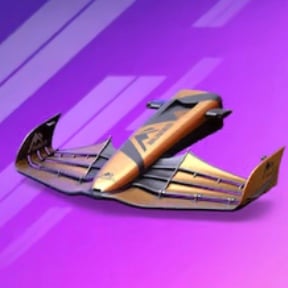
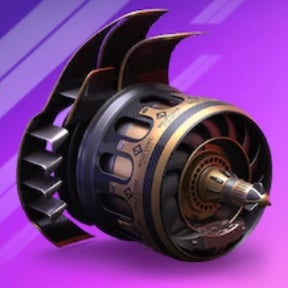
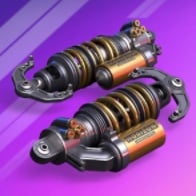

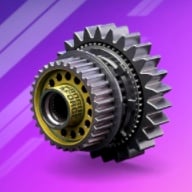
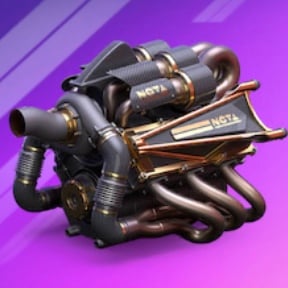
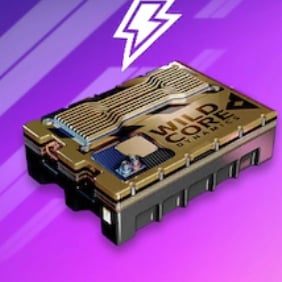
This setup assumes every part is maxed out. Your parts are lower? Tap ✎ under a part or switch to my car parts & levels above.
Based on the parts & levels saved in your garage (this browser). Only parts up to Series 12 are allowed here — higher ones stay saved for the other guides. Tap ✎ under a part to change a level.
1 · Best drivers. Shows the two strongest drivers Series 12 unlocks at max level — or, with the switch under the cards, the best two of your own drivers at your levels.
2 · Enter your drivers. Open My drivers (or tap ✎ under a driver), tap a driver to flip the card and set your level with ▲ ▼. No time to enter Legendary drivers or Special Editions? Switch them off and they're left out.
3 · One seat per driver. Own a driver in several versions? Only the strongest one races — the second seat goes to the next best different driver.
4 · Compare. Every driver you flip is drawn level by level against the driver he'd replace, so you see when an upgrade gets him a seat.
 Paddock Picks Turbo
 Paddock Picks Turbo
These drivers assume every card is maxed out. Your drivers are lower? Tap ✎ under a driver or switch to my drivers & levels above.
Based on the drivers & levels saved in your roster. Only drivers up to Series 12 and no Legendary drivers are allowed here — the others stay saved for the other guides. Tap ✎ under a driver to change a level.
1Cuppa202010000002Herald251510000003Prince202001000004Timeless152500100005Hook102501500006Kawaii152000001507Nazar201500000158Pumpkin102000000209Confetti2501000015010Launch Pad250000151001Nazar201500000152Pumpkin102000000203Frost150000100254Tsar015010000255Movember025015000106Rookie Rush100015000257Palm100020000208Surf25000020059Handlebar0100250001510Pretzel000001510251Ballast5100000502Instinct10000015053Downforce05010000154Self Control050005055Hex00200150506Warrior0055100001Downforce05010000152Instinct10000015053Self Control05000505
1 · Best setup. Shows the strongest parts Series 12 unlocks at max level — or, with the switch under the cards, the best of your own parts at your levels.
2 · Enter your garage. Open My garage (or tap ✎ under a part), tap a part to flip it and set your level with ▲ ▼. Bought a higher-series part in the shop? Add it too.
3 · Your setup. Every part is weighed at your level — a well-levelled older part often beats a low-level new one.
4 · Compare. Every part you flip is drawn against your current best level by level, so you see where one overtakes the other.
This setup assumes every part is maxed out. Your parts are lower? Tap ✎ under a part or switch to my car parts & levels above.
Based on the parts & levels saved in your garage (this browser). Only parts up to Series 12 are allowed here — higher ones stay saved for the other guides. Tap ✎ under a part to change a level.
1 · Best drivers. Shows the two strongest drivers Series 12 unlocks at max level — or, with the switch under the cards, the best two of your own drivers at your levels.
2 · Enter your drivers. Open My drivers (or tap ✎ under a driver), tap a driver to flip the card and set your level with ▲ ▼. No time to enter Legendary drivers or Special Editions? Switch them off and they're left out.
3 · One seat per driver. Own a driver in several versions? Only the strongest one races — the second seat goes to the next best different driver.
4 · Compare. Every driver you flip is drawn level by level against the driver he'd replace, so you see when an upgrade gets him a seat.
Paddock Picks TurboPaddock Picks TurboThese drivers assume every card is maxed out. Your drivers are lower? Tap ✎ under a driver or switch to my drivers & levels above.
Based on the drivers & levels saved in your roster. Only drivers up to Series 12 and no Legendary drivers are allowed here — the others stay saved for the other guides. Tap ✎ under a driver to change a level.
1Butterfly20250000052Pretzel251500000103Frost251000150004Dragon151520000005Iron Force102002000006Dead Fast52000025007Rookie Reload02550002008Rookie Rush250015100009Samba025000502010Surf52000250001Butterfly20250000052Pretzel251500000103Frost251000150004Rookie Rush250015100005Tsar250010001506Dragon151520000007Crown20005000258Eagle200000150159Iron Force1020020000010Palm200020100001Instinct51500100002Downforce15001000503Self Control550000504Hex00200015055Ballast0000501056Warrior0055010001Downforce15001000502Instinct51500100003Self Control55000050
1 · Best setup. Shows the strongest parts Series 12 unlocks at max level — or, with the switch under the cards, the best of your own parts at your levels.
2 · Enter your garage. Open My garage (or tap ✎ under a part), tap a part to flip it and set your level with ▲ ▼. Bought a higher-series part in the shop? Add it too.
3 · Your setup. Every part is weighed at your level — a well-levelled older part often beats a low-level new one.
4 · Compare. Every part you flip is drawn against your current best level by level, so you see where one overtakes the other.
This setup assumes every part is maxed out. Your parts are lower? Tap ✎ under a part or switch to my car parts & levels above.
Based on the parts & levels saved in your garage (this browser). Only parts up to Series 12 are allowed here — higher ones stay saved for the other guides. Tap ✎ under a part to change a level.
1 · Best drivers. Shows the two strongest drivers Series 12 unlocks at max level — or, with the switch under the cards, the best two of your own drivers at your levels.
2 · Enter your drivers. Open My drivers (or tap ✎ under a driver), tap a driver to flip the card and set your level with ▲ ▼. No time to enter Legendary drivers or Special Editions? Switch them off and they're left out.
3 · One seat per driver. Own a driver in several versions? Only the strongest one races — the second seat goes to the next best different driver.
4 · Compare. Every driver you flip is drawn level by level against the driver he'd replace, so you see when an upgrade gets him a seat.
Paddock Picks TurboPaddock Picks TurboThese drivers assume every card is maxed out. Your drivers are lower? Tap ✎ under a driver or switch to my drivers & levels above.
Based on the drivers & levels saved in your roster. Only drivers up to Series 12 and no Legendary drivers are allowed here — the others stay saved for the other guides. Tap ✎ under a driver to change a level.
1Butterfly20250000052Pretzel251500000103Frost251000150004Dragon151520000005Iron Force102002000006Dead Fast52000025007Rookie Reload02550002008Rookie Rush250015100009Samba025000502010Surf52000250001Butterfly20250000052Pretzel251500000103Frost251000150004Rookie Rush250015100005Tsar250010001506Dragon151520000007Crown20005000258Eagle200000150159Iron Force1020020000010Palm200020100001Instinct51500100002Downforce15001000503Self Control550000504Hex00200015055Ballast0000501056Warrior0055010001Downforce15001000502Instinct51500100003Self Control55000050
1 · Best setup. Shows the strongest parts Series 12 unlocks at max level — or, with the switch under the cards, the best of your own parts at your levels.
2 · Enter your garage. Open My garage (or tap ✎ under a part), tap a part to flip it and set your level with ▲ ▼. Bought a higher-series part in the shop? Add it too.
3 · Your setup. Every part is weighed at your level — a well-levelled older part often beats a low-level new one.
4 · Compare. Every part you flip is drawn against your current best level by level, so you see where one overtakes the other.
This setup assumes every part is maxed out. Your parts are lower? Tap ✎ under a part or switch to my car parts & levels above.
Based on the parts & levels saved in your garage (this browser). Only parts up to Series 12 are allowed here — higher ones stay saved for the other guides. Tap ✎ under a part to change a level.
1 · Best drivers. Shows the two strongest drivers Series 12 unlocks at max level — or, with the switch under the cards, the best two of your own drivers at your levels.
2 · Enter your drivers. Open My drivers (or tap ✎ under a driver), tap a driver to flip the card and set your level with ▲ ▼. No time to enter Legendary drivers or Special Editions? Switch them off and they're left out.
3 · One seat per driver. Own a driver in several versions? Only the strongest one races — the second seat goes to the next best different driver.
4 · Compare. Every driver you flip is drawn level by level against the driver he'd replace, so you see when an upgrade gets him a seat.
Paddock Picks TurboPaddock Picks TurboThese drivers assume every card is maxed out. Your drivers are lower? Tap ✎ under a driver or switch to my drivers & levels above.
Based on the drivers & levels saved in your roster. Only drivers up to Series 12 and no Legendary drivers are allowed here — the others stay saved for the other guides. Tap ✎ under a driver to change a level.
1Eagle201500000152Livewire20150000001Eagle201500000152Livewire20150000001Hex01520000052Downforce15001005001Downforce15001005002Instinct5000100150Unlock all 12 sections−30% Hide plans
1 · Best setup. Shows the strongest parts Series 12 unlocks at max level — or, with the switch under the cards, the best of your own parts at your levels.
2 · Enter your garage. Open My garage (or tap ✎ under a part), tap a part to flip it and set your level with ▲ ▼. Bought a higher-series part in the shop? Add it too.
3 · Your setup. Every part is weighed at your level — a well-levelled older part often beats a low-level new one.
4 · Compare. Every part you flip is drawn against your current best level by level, so you see where one overtakes the other.
This setup assumes every part is maxed out. Your parts are lower? Tap ✎ under a part or switch to my car parts & levels above.
Based on the parts & levels saved in your garage (this browser). Only parts up to Series 12 are allowed here — higher ones stay saved for the other guides. Tap ✎ under a part to change a level.
1 · Best drivers. Shows the two strongest drivers Series 12 unlocks at max level — or, with the switch under the cards, the best two of your own drivers at your levels.
2 · Enter your drivers. Open My drivers (or tap ✎ under a driver), tap a driver to flip the card and set your level with ▲ ▼. No time to enter Legendary drivers or Special Editions? Switch them off and they're left out.
3 · One seat per driver. Own a driver in several versions? Only the strongest one races — the second seat goes to the next best different driver.
4 · Compare. Every driver you flip is drawn level by level against the driver he'd replace, so you see when an upgrade gets him a seat.
Paddock Picks TurboPaddock Picks TurboThese drivers assume every card is maxed out. Your drivers are lower? Tap ✎ under a driver or switch to my drivers & levels above.
Based on the drivers & levels saved in your roster. Only drivers up to Series 12 and no Legendary drivers are allowed here — the others stay saved for the other guides. Tap ✎ under a driver to change a level.
1Christmas102000200002Cranberry201020000003Cuppa102002000004Glitz151500020005Eternal Flame250001500106Feral250000010157Ghoulfuel250000101508Herald101502500009Hook0251510000010Merlion025001501001Feral250000010152Pumpkin020010000203Tsar015100000254Dragon200000150155Eternal Flame250001500106Movember025150000107Nazar015020000158Frost000150100259Handlebar0102500001510Pretzel000001510251Hex20000150502Ballast0100500503Downforce05100000154Warrior5050100005Self Control050005056Instinct00010015051Downforce05100000152Self Control050005053Instinct0001001505
1 · Best setup. Shows the strongest parts Series 12 unlocks at max level — or, with the switch under the cards, the best of your own parts at your levels.
2 · Enter your garage. Open My garage (or tap ✎ under a part), tap a part to flip it and set your level with ▲ ▼. Bought a higher-series part in the shop? Add it too.
3 · Your setup. Every part is weighed at your level — a well-levelled older part often beats a low-level new one.
4 · Compare. Every part you flip is drawn against your current best level by level, so you see where one overtakes the other.
This setup assumes every part is maxed out. Your parts are lower? Tap ✎ under a part or switch to my car parts & levels above.
Based on the parts & levels saved in your garage (this browser). Only parts up to Series 12 are allowed here — higher ones stay saved for the other guides. Tap ✎ under a part to change a level.
1 · Best drivers. Shows the two strongest drivers Series 12 unlocks at max level — or, with the switch under the cards, the best two of your own drivers at your levels.
2 · Enter your drivers. Open My drivers (or tap ✎ under a driver), tap a driver to flip the card and set your level with ▲ ▼. No time to enter Legendary drivers or Special Editions? Switch them off and they're left out.
3 · One seat per driver. Own a driver in several versions? Only the strongest one races — the second seat goes to the next best different driver.
4 · Compare. Every driver you flip is drawn level by level against the driver he'd replace, so you see when an upgrade gets him a seat.
Paddock Picks TurboPaddock Picks TurboThese drivers assume every card is maxed out. Your drivers are lower? Tap ✎ under a driver or switch to my drivers & levels above.
Based on the drivers & levels saved in your roster. Only drivers up to Series 12 and no Legendary drivers are allowed here — the others stay saved for the other guides. Tap ✎ under a driver to change a level.
1Dragon201500000152Ghoulfuel251000001501Dragon201500000152Butterfly02500005201Hex20000150502Instinct01501000051Instinct01501000052Downforce0010005015Unlock all 12 sections−30% Hide plans
1 · Best setup. Shows the strongest parts Series 12 unlocks at max level — or, with the switch under the cards, the best of your own parts at your levels.
2 · Enter your garage. Open My garage (or tap ✎ under a part), tap a part to flip it and set your level with ▲ ▼. Bought a higher-series part in the shop? Add it too.
3 · Your setup. Every part is weighed at your level — a well-levelled older part often beats a low-level new one.
4 · Compare. Every part you flip is drawn against your current best level by level, so you see where one overtakes the other.
This setup assumes every part is maxed out. Your parts are lower? Tap ✎ under a part or switch to my car parts & levels above.
Based on the parts & levels saved in your garage (this browser). Only parts up to Series 12 are allowed here — higher ones stay saved for the other guides. Tap ✎ under a part to change a level.
1 · Best drivers. Shows the two strongest drivers Series 12 unlocks at max level — or, with the switch under the cards, the best two of your own drivers at your levels.
2 · Enter your drivers. Open My drivers (or tap ✎ under a driver), tap a driver to flip the card and set your level with ▲ ▼. No time to enter Legendary drivers or Special Editions? Switch them off and they're left out.
3 · One seat per driver. Own a driver in several versions? Only the strongest one races — the second seat goes to the next best different driver.
4 · Compare. Every driver you flip is drawn level by level against the driver he'd replace, so you see when an upgrade gets him a seat.
Paddock Picks TurboPaddock Picks TurboThese drivers assume every card is maxed out. Your drivers are lower? Tap ✎ under a driver or switch to my drivers & levels above.
Based on the drivers & levels saved in your roster. Only drivers up to Series 12 and no Legendary drivers are allowed here — the others stay saved for the other guides. Tap ✎ under a driver to change a level.
1Christmas102000200002Cranberry201020000001Feral250000010152Pumpkin020010000201Hex20000150502Ballast0100500501Downforce05100000152Self Control05000505Unlock all 12 sections−30% Hide plans
1 · Best setup. Shows the strongest parts Series 12 unlocks at max level — or, with the switch under the cards, the best of your own parts at your levels.
2 · Enter your garage. Open My garage (or tap ✎ under a part), tap a part to flip it and set your level with ▲ ▼. Bought a higher-series part in the shop? Add it too.
3 · Your setup. Every part is weighed at your level — a well-levelled older part often beats a low-level new one.
4 · Compare. Every part you flip is drawn against your current best level by level, so you see where one overtakes the other.
This setup assumes every part is maxed out. Your parts are lower? Tap ✎ under a part or switch to my car parts & levels above.
Based on the parts & levels saved in your garage (this browser). Only parts up to Series 12 are allowed here — higher ones stay saved for the other guides. Tap ✎ under a part to change a level.
1 · Best drivers. Shows the two strongest drivers Series 12 unlocks at max level — or, with the switch under the cards, the best two of your own drivers at your levels.
2 · Enter your drivers. Open My drivers (or tap ✎ under a driver), tap a driver to flip the card and set your level with ▲ ▼. No time to enter Legendary drivers or Special Editions? Switch them off and they're left out.
3 · One seat per driver. Own a driver in several versions? Only the strongest one races — the second seat goes to the next best different driver.
4 · Compare. Every driver you flip is drawn level by level against the driver he'd replace, so you see when an upgrade gets him a seat.
Paddock Picks TurboPaddock Picks TurboThese drivers assume every card is maxed out. Your drivers are lower? Tap ✎ under a driver or switch to my drivers & levels above.
Based on the drivers & levels saved in your roster. Only drivers up to Series 12 and no Legendary drivers are allowed here — the others stay saved for the other guides. Tap ✎ under a driver to change a level.
1Cuppa202010000002Herald251510000003Prince202001000004Timeless152500100005Hook102501500006Kawaii152000001507Nazar201500000158Pumpkin102000000209Confetti2501000015010Launch Pad250000151001Nazar201500000152Pumpkin102000000203Frost150000100254Tsar015010000255Movember025015000106Rookie Rush100015000257Palm100020000208Surf25000020059Handlebar0100250001510Pretzel000001510251Ballast5100000502Instinct10000015053Downforce05010000154Self Control050005055Hex00200150506Warrior0055100001Downforce05010000152Instinct10000015053Self Control05000505 Keep AllClash one tap awayAdd it to your home screen and it opens full screen, like an app.