




Added the latest round of new drivers and parts
How We Do It
This guide is done by experience but also after many years playing we know how the game does favor and multiply numbers. Every overtake, defense, qualifying is basically crunched by the stats and some random number. Remember! Even the best players in F1 Clash have a win rate of 60%, so it comes down to win more than you lose to make progress. Don’t be frustrated if you lost, sometimes the game numbers didn’t run inyour favor but we can guaratnuee you if you follow our guide below, you will win more than you lose and progress.. Also please be aware that most content creators out there will look just at the primary stat (like speed or overtaking) needed for a track and COMPLETELY neglect the other stats that still are important so they often recommend sub-optiomal drivers and parts and this is where our algorithm beats their recommendation every single time.
Best Car Parts in Series 10 in F1 Clash
1 · Best setup. Shows the strongest parts Series 10 unlocks at max level — or, with the switch under the cards, the best of your own parts at your levels.
2 · Enter your garage. Open My garage (or tap ✎ under a part), tap a part to flip it and set your level with ▲ ▼. Bought a higher-series part in the shop? Add it too.
3 · Your setup. Every part is weighed at your level — a well-levelled older part often beats a low-level new one.
4 · Compare. Every part you flip is drawn against your current best level by level, so you see where one overtakes the other.

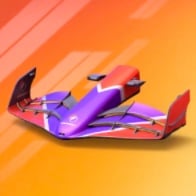
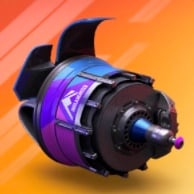
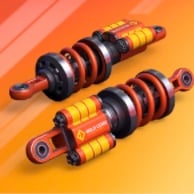
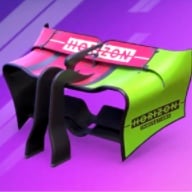
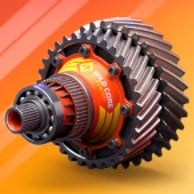
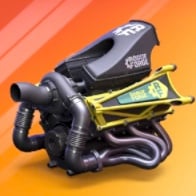
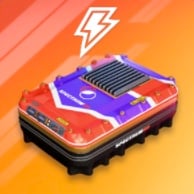
This setup assumes every part is maxed out. Your parts are lower? Tap ✎ under a part or switch to my car parts & levels above.
Based on the parts & levels saved in your garage (this browser), including parts from higher series you unlocked in the shop. Tap ✎ under a part to change a level.
- Same garage on your phone, tablet and PC
- Survives private mode and clearing your browser
- Enter your parts once — every series & event guide uses them
Unlock with PRO−30% Hide plans
Best Drivers in Series 10 in F1 Clash
Now let’s have a look at the drivers which have an even bigger impact than the car parts. The car parts make the foundation of basically your lap time in F1 Clash, but the drivers do constantly interact with other drivers in terms of defending and attacking, which plays a significant role in your final position + through Tyre Managment also make sure that you don’t have to make more pit stops than necessary:
1 · Best drivers. Shows the two strongest drivers Series 10 unlocks at max level — or, with the switch under the cards, the best two of your own drivers at your levels.
2 · Enter your drivers. Open My drivers (or tap ✎ under a driver), tap a driver to flip the card and set your level with ▲ ▼. No time to enter Legendary drivers or Special Editions? Switch them off and they're left out.
3 · One seat per driver. Own a driver in several versions? Only the strongest one races — the second seat goes to the next best different driver.
4 · Compare. Every driver you flip is drawn level by level against the driver he'd replace, so you see when an upgrade gets him a seat.
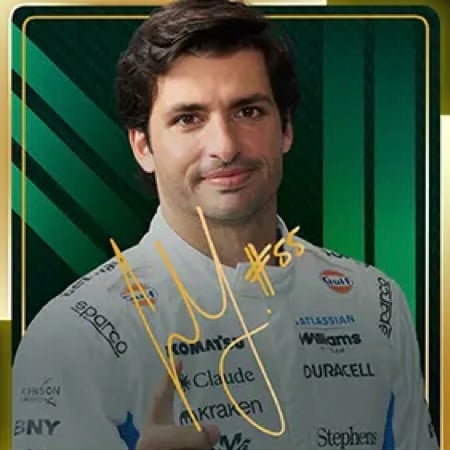 Signature Stars
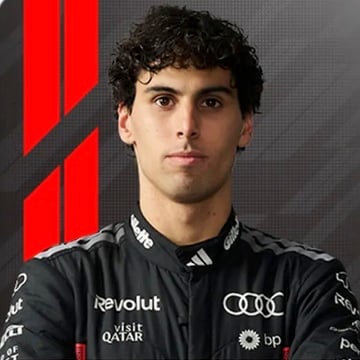 Paddock Picks
These drivers assume every card is maxed out. Your drivers are lower? Tap ✎ under a driver or switch to my drivers & levels above.
Based on the drivers & levels saved in your roster, including drivers from higher series you already own. Tap ✎ under a driver to change a level.
- Same roster on your phone, tablet and PC
- Survives private mode and clearing your browser
- Enter your drivers once — every series & event guide uses them
Unlock with PRO−30% Hide plans
Best Strategy in Series 10 for All Tracks
Let’s talk pit stop strategy which is the most active part you can take in the race itself. This is the foundation to make your drivers do their fastest possible lap time. The main things you want to prevent is getting stuck in traffic which slows down, having your drivers pit together so one car is literally waiting for the other to finish or you max out tyre times too much so you can’t push. Honestly, sounds complicated but each track in this series has an optimal pit stop strategy, no matter if it rains or not.
 Shanghai
 Sakhir
 Baku
Baku Mexico City
How it works
This advanced algorithm calculates your mathematically perfect race strategy by simulating the different possible tyre combinations, factoring in precise compound pace, degradation, and pit stop times. While highly accurate to core game stats, this is an ideal-scenario simulation and does not account for random on-track chaos like Safety Cars or heavy traffic. It is always a good blueprint to use this to keep to know the track strategy and then be able to adapt rather than just blindly copy the strategy without adaptation.
 1Iron Force20200000010
 2Vice25150010000
 3Djinn15200001500
 4Gladiator25100150000
 5Butterfly0250000520
 6Eggcepton15100000250
 7Genesis25000101500
 8Handlebar25000010015
 9Rainbow2500520000
 10Rookie Reload02550020001Iron Force202000000102Butterfly02500005203Handlebar25000010015
 4Palm20001000020
 5Pretzel01500001025
 6Rookie Rush15001000025
 7Frost01001500025
 8Tsar10000015025
 9Dragon01520000015
 10Crown5000002520
 1Instinct0150100005
 2Downforce1000005015
 3Warrior505010000
 4Self Control05000505
 5Hex0020015050
 6Ballast0005010501Downforce10000050152Instinct01501000053Self Control05000505
Unlock all 6 sections−30% Hide plans
1Butterfly20250000052Pretzel251500000101Butterfly20250000052Pretzel251500000101Instinct51500100002Downforce15001000501Downforce15001000502Instinct5150010000Unlock all 6 sections−30% Hide plans
Unlock all 6 sections−30% Hide plans
1Butterfly20250000052Pretzel251500000101Butterfly20250000052Pretzel251500000101Instinct51500100002Downforce15001000501Downforce15001000502Instinct5150010000Unlock all 6 sections−30% Hide plans
Unlock all 6 sections−30% Hide plans
1Butterfly20250000052Pretzel251500000101Butterfly20250000052Pretzel251500000101Instinct51500100002Downforce15001000501Downforce15001000502Instinct5150010000Unlock all 6 sections−30% Hide plans
Conclusion
We hope this helps you and if you feel we should include anything else in our guides for F1 Clash, feel free to post a comment below and we will be happy to reply.
 Keep AllClash one tap awayAdd it to your home screen and it opens full screen, like an app.

If you don’t have boost recommendation at the very least could you put what the track’s two indicators are?
Good news, we are rolling out both features today – boost recommendations + the stat labels
Hi, I would like to ask, could you please give me some advice on which drink would be optimal for which rider?
Boosters are not specific for drivers, they are the combination of track and driver. We are working on that right now but it is currently more complex than we think will be helpful so we’re still looking for solution!
Web app won’t the pro version to stay on the app, is there a way of staying logged in to the pro rather than having to constantly re logging in
Thanks for reaching out. We are aware of that and working on doing something about it. This is high on the list right now and we are doing updates in the background so there is nothing you can do yourself but we are working on it as I type
Just a small heads up, we have an update here that should keep you 30 days logged in now. I say “should” since many browsers and devices handle stuff differently and there are a few setups where we simply can’t do much, but I am sure for the majority this will work. But always feel free to reach out via email and we can see what we can do in your case 🙂