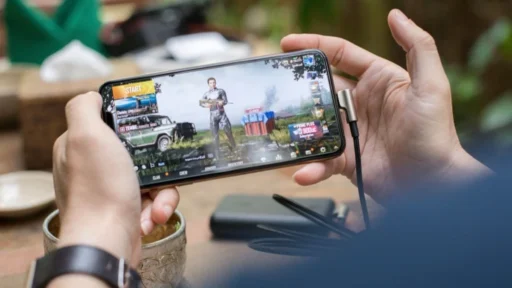
Getting hit with an IP ban mid-session is one of those experiences that makes you want to put your phone through a wall. You were not cheating, or maybe you were doing something the game considers an exploit but everyone uses, and now your account is locked out and your IP address is flagged. Or you are trying to access a game, an event, or a server that is simply not available in your country, and there is no workaround in the game itself.
Both problems have the same root cause. Games and game servers identify you primarily by your IP address. Block the IP, block the player. Restrict by region, filter by IP range. The entire system runs on IP reputation, and once your IP is flagged, a regular VPN often makes things worse rather than better.
Key Takeaways
- IP bans and region locks both operate at the IP address level, making VPNs the logical countermeasure
- Standard VPNs route traffic through datacenter servers with IPs that games and anti-cheat systems recognize and block immediately
- Residential VPNs use IP addresses assigned by real ISPs to real households, which pass through detection systems undetected
- A decentralized VPN network routes traffic through peer-operated nodes rather than corporate server farms, making the IP pool harder to blacklist at scale
- Ping impact depends on node location, not VPN type, and choosing a nearby residential node keeps latency manageable
What Is an IP Ban and Why Do Games Use Them
An IP ban is when a game server blocks all traffic from a specific IP address or IP range. Unlike an account ban, which targets your login credentials, an IP ban targets your network connection. You can create a new account and log back in with the same email client, and the ban will catch you the moment you connect from the same IP.
Games use IP bans for a few reasons. The most common is to stop repeat offenders from cycling through new accounts after getting banned for cheating, boosting, or violating terms of service. If the account ban alone could be bypassed by simply creating a new one, enforcement becomes pointless. The IP ban adds a second layer.
The problem is that IP bans are imprecise. Shared IP addresses, dynamic IPs that rotate between users, and carrier-grade NAT all mean that an IP ban can catch innocent players who happen to share an IP with someone who was banned. Mobile gaming makes this worse because carriers often route thousands of users through the same IP pool.
How Region Locks Work and What They Block
Region locks are a different mechanism but use the same underlying logic. When a publisher releases a game in specific territories, or when certain in-game events, items, or servers are restricted to players in particular countries, the enforcement happens by checking the geographic origin of your IP address.
This affects mobile gamers more than most realize. Limited-time events, exclusive releases, early access launches, and competitive server pools are frequently gated by region. A player in Southeast Asia trying to access a North American event server, or a player in Europe trying to participate in a Japan-exclusive content drop, runs into a region lock enforced entirely by IP geolocation.
The IP geolocation databases that games use are updated constantly and are reasonably accurate at the country level. Bypassing them requires an IP address that is genuinely registered to the target region, not just routed through a server there.
Why Regular VPNs Fail Gamers
This is where most VPN guides for gamers stop being useful.
The standard advice is to connect to a VPN server in the region you want access to, and the game will see an IP from that region and let you through. That advice was accurate a few years ago. It is less accurate now, and for competitive or frequently targeted games it is often completely wrong.
The reason is that standard VPN services route traffic through datacenter servers. These servers sit in facilities operated by companies like AWS, Google Cloud, DigitalOcean, and Vultr. The IP addresses assigned to these servers are registered to the hosting company, not to a residential ISP. Anti-cheat systems, game publishers, and IP reputation databases have spent years cataloguing these IP ranges.
When you connect through a standard VPN and your traffic arrives at a game server from an AWS IP address in Frankfurt, the server does not see a player in Germany. It sees a datacenter connection, which is a flag. Depending on the game, that flag results in an immediate block, a soft block that breaks matchmaking, a CAPTCHA loop, or a silent placement into a separate player pool with other flagged accounts.
Ping impact is more nuanced than most guides admit. A VPN adds latency by routing traffic through an additional server, but physical distance matters more than VPN type. A residential node located close to the game server will outperform a distant datacenter server regardless of protocol.
How Residential VPNs Solve Both Problems
A residential VPN routes your traffic through IP addresses assigned by real ISPs to real residential connections. From the perspective of a game server, an anti-cheat system, or a region lock filter, your traffic looks like it is coming from a home internet connection in whatever location the residential node is in.
IP reputation databases classify addresses by registered owner. Datacenter IPs and residential IPs are treated as categorically different traffic types, and residential IPs do not carry the flags that cause games to reject VPN connections.
One model that takes this further is the decentralized VPN, where the network is operated by independent node owners rather than a central corporate infrastructure. In a centralized residential VPN, the provider controls a fixed pool of residential IPs, and once that pool gets identified and blacklisted by a game publisher, you are back to square one. A decentralized network distributes the IP pool across thousands of independent operators, making bulk blacklisting significantly harder because there is no central server farm to target.
For gaming specifically, a residential VPN gives you three things that a standard VPN cannot reliably provide. First, an IP address that passes region lock filters because it is registered to a real ISP in the target region. Second, an IP that does not trigger anti-cheat flags because it does not match datacenter IP patterns. Third, a connection type that is harder to blacklist at scale because the IP pool is drawn from real household connections rather than a catalogued server farm.
The catch is that residential node availability varies by provider and region. If the provider has limited nodes in your target country, you are either taking the latency hit from a distant node or out of options. Check coverage for your target regions before committing.
What to Look for in a Gaming VPN
Not all residential VPN providers are built the same, and the differences matter for gaming use cases.
Node coverage in your target regions. If you are trying to access a Japan-exclusive event or a North American competitive server, you need residential nodes actually located in those countries. Datacenter nodes in the same country do not give you the same pass-through rate.
City-level selection. Country-level targeting is often not precise enough for gaming. Some region locks and matchmaking pools operate at a more granular level. A provider with city-level node selection gives you more control over which server pool you end up in.
Kill switch. If your VPN connection drops mid-session, your real IP is exposed immediately. For players who have used a VPN to get around an IP ban, that dropout means re-flagging. A kill switch cuts the connection entirely when the VPN drops rather than falling back to your real IP.
No-log policy. Relevant if you are using a VPN to access region-locked content that sits in a legal gray area in your jurisdiction. A provider that logs connection data can potentially expose what you accessed and when.
Protocol. WireGuard is currently the best option for gaming because it has lower overhead than older protocols like OpenVPN, which means less latency added by the VPN layer itself. Most providers worth using have switched to WireGuard or at minimum offer it as an option.
The underlying question for any gaming VPN is whether the IP addresses it assigns will actually pass through the filters you are trying to get around. A well-marketed standard VPN with fast servers will still fail if the game recognizes the IP range. Test with your specific game before committing.
IP bans and region locks are infrastructure problems. The solution that consistently works is an IP address that looks like it belongs where games expect a normal player connecting from, and residential IPs are currently the only category that reliably meets that standard.
 Keep AllClash one tap awayAdd it to your home screen and it opens full screen, like an app.